5.6 设置你的每日个性化新闻简报
为了使用新闻故事来创建个人电子邮件,我们将再次使用 IFTTT。如我们在第 3 章——构建应用程序,发现低价的机票——所做,我们将使用 Maker 频道发送 POST 请求。不过,这一次的有效载荷将是我们的新闻故事。如果你尚未设置 Maker 频道,请先完成这一步。
具体的操作指令可以在第 3 章中找到。你还应设置 Gmail 频道。一旦完成后,我们将添加一个 Recipe 来组合这两个。
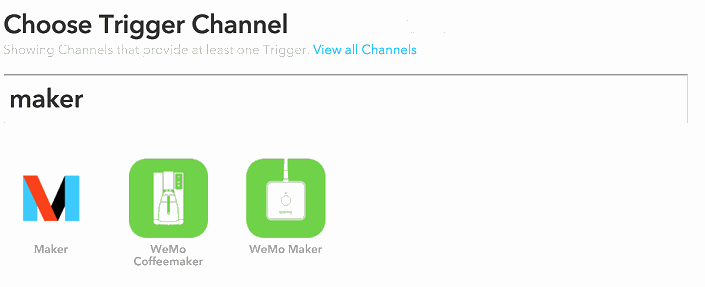
首先,在 IFTTT 主页单击 Create Recipe。然后,搜索 Maker Channel,如图 5-35 所示。
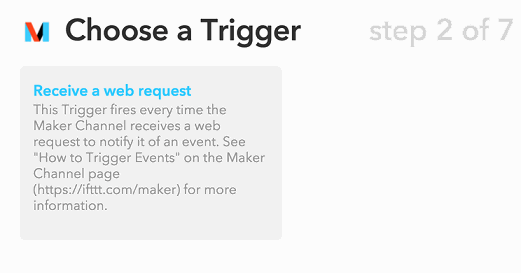
选择 this,然后选择 Receive a web request,如图 5-36 所示。
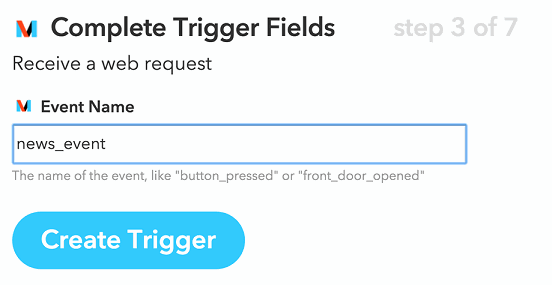
然后,为该请求提供一个名称。我在这里使用 news_event,如图 5-37 所示。
最后,单击 Create Trigger 来完成所有步骤。接下来,单击 that 来设置电子邮件。搜索Gmail 并单击图 5-38 所示的图标。
选择 Gmail 后,单击 Send an e-mail,如图 5-39 所示。在这里,你可以定制化自己的电子邮件消息。
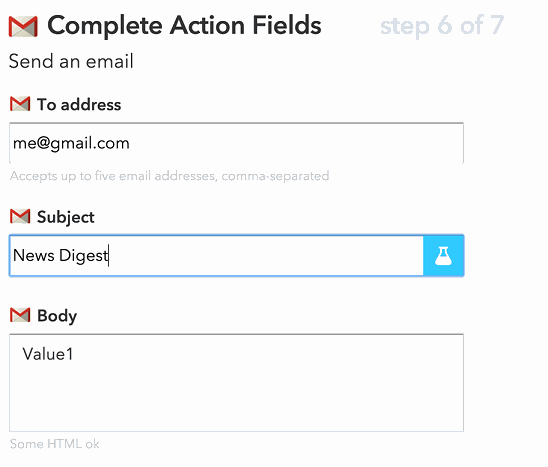
输入你的电子邮件地址,主题,最后在电子邮件的正文中包括 Value1。我们将通过 POST请求传递故事标题和链接。单击 Create Recipe 最终完成这项操作。
现在,我们已经准备就绪,可以生成一个按计划运行的脚本,自动发送我们感兴趣的文章。我们将为此创建一个单独的脚本,不过对于现有的代码,还需要序列化向量转化器和模型。
import pickle
pickle.dump(model, open
(r'/Users/alexcombs/Downloads/news_model_pickle.p', 'wb'))
pickle.dump(vect, open
(r'/Users/alexcombs/Downloads/news_vect_pickle.p', 'wb'))
通过这些代码,我们已经保存了所需的模型。在新的脚本中,我们将读取这些模型来生成新的预测。我们将使用相同的计划库运行第 3 章的代码。整合所有这些,我们将获得如下的脚本。
# 进行包的导入
import pandas as pd
fromsklearn.feature_extraction.text import TfidfVectorizer
fromsklearn.svm import LinearSVC
import schedule
import time
import pickle
importjson
importgspread
import requests
from bs4 import BeautifulSoup
from oauth2client.client import SignedJwtAssertionCredentials
# 创建我们的抓取函数
deffetch_news():
try:
vect = pickle.load(open(r'/Users/alexcombs/Downloads/
news_vect_pickle.p', 'rb'))
model = pickle.load(open(r'/Users/alexcombs/Downloads/
news_model_pickle.p', 'rb'))
json_key = json.load(open(r'/Users/alexcombs/Downloads/
APIKEY.json'))
scope = ['https://spreadsheets.google.com/feeds']
credentials = SignedJwtAssertionCredentials(json_key
['client_email'], json_key['private_key'].encode(), scope)
gc = gspread.authorize(credentials)
ws = gc.open("NewStories")
sh = ws.sheet1
zd = list(zip(sh.col_values(2), sh.col_values(3), sh.col_values(4)))
zf = pd.DataFrame(zd, columns=['title', 'urls', 'html'])
zf.replace('', pd.np.nan, inplace=True)
zf.dropna(inplace=True)
defget_text(x):
soup = BeautifulSoup(x, 'lxml')
text = soup.get_text()
return text
zf.loc[:, 'text'] = zf['html'].map(get_text)
tv = vect.transform(zf['text'])
res = model.predict(tv)
rf = pd.DataFrame(res, columns=['wanted'])
rez = pd.merge(rf, zf, left_index=True, right_index=True)
news_str = ''
for t, u in zip(rez[rez['wanted'] == 'y']['title'], rez[rez['wanted'] == 'y']['urls']):
news_str = news_str + t + '\n' + u + '\n'
payload = {"value1": news_str}
r = requests.post('https://maker.ifttt.com/trigger/
news_event/with/key/IFTTT_KEY', data=payload)
# 清理工作表
lenv = len(sh.col_values(1))
cell_list = sh.range('A1:F' + str(lenv))
for cell in cell_list:
cell.value = ""
sh.update_cells(cell_list)
print(r.text)
except:
print('Failed')
schedule.every(480).minutes.do(fetch_news)
while 1:
schedule.run_pending()
time.sleep(1)
这个脚本所做的事情是,每 4 小时运行一次,从 Google 表单下载新闻故事,通过模型对这些故事进行预测,再向 IFTTT 发送 POST 请求来生成电子邮件,该邮件包含了模型预测我们会感兴趣的故事,然后在最终,它会清除电子表格中的故事,以便下一封电子邮件只会发送新的故事。
恭喜!你现在拥有自己的个性化新闻源了!


本书评论